Certificate tracker for seafarers
CHIEF. · Certificates
Every certificate and travel document in one place, checked against what your rank needs, with a reminder before each one runs out. On iPhone and in any browser, with one account.
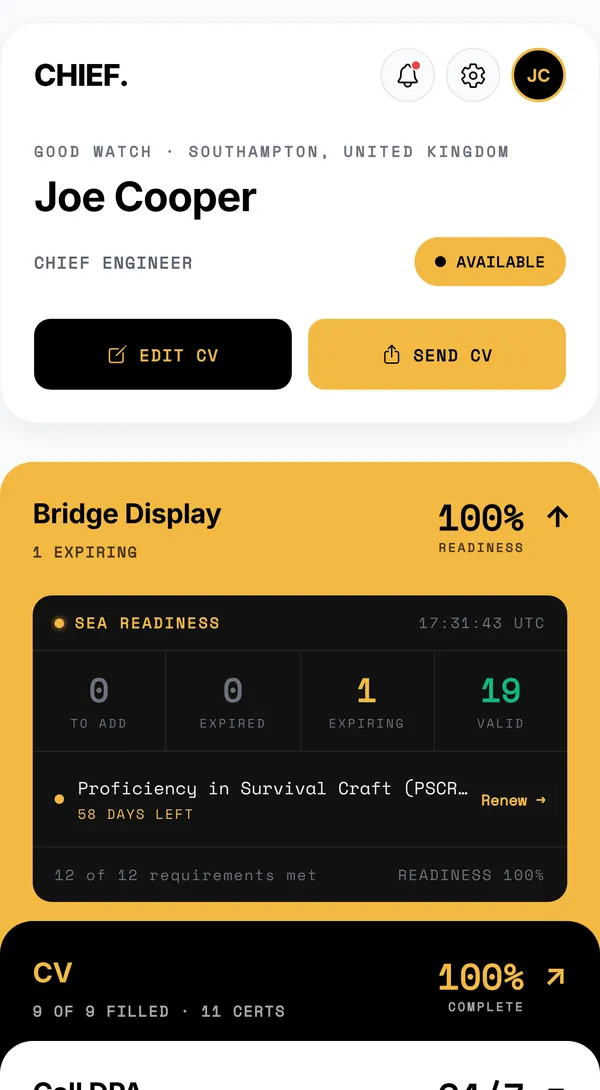
Bridge Display: can you sail today?
The home screen answers one question. Bridge Display takes your rank, works out the documents it needs and checks each one: passport, seaman’s book, medical certificate, the STCW certificates for the rank and, for officers, the certificate of competency and its flag endorsement.
You see four numbers, to add, expired, expiring and valid, and the documents that need you first. Red is kept for what has expired or runs out within a week.
Scan a certificate instead of typing it
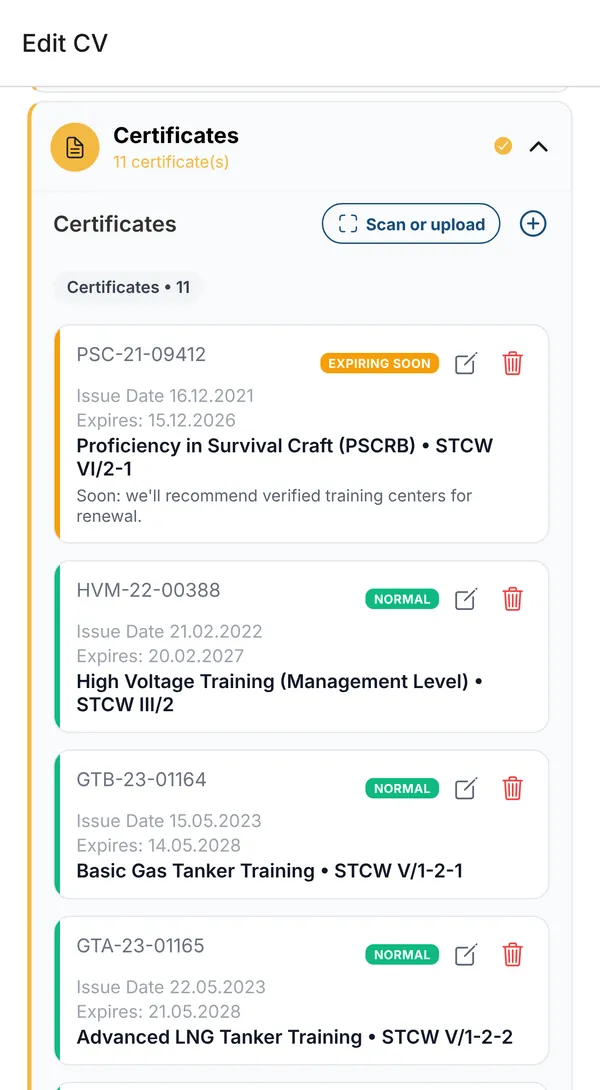
Point the phone camera at a certificate, or upload a photo or scan from a laptop. CHIEF. reads the name, number, issue and expiry dates and the STCW regulation, and you check them before saving. Passports and seaman’s books scan the same way.
Certificates are named the STCW way, with the regulation, so a crewing manager reads them at a glance.
Reminders before anything expires
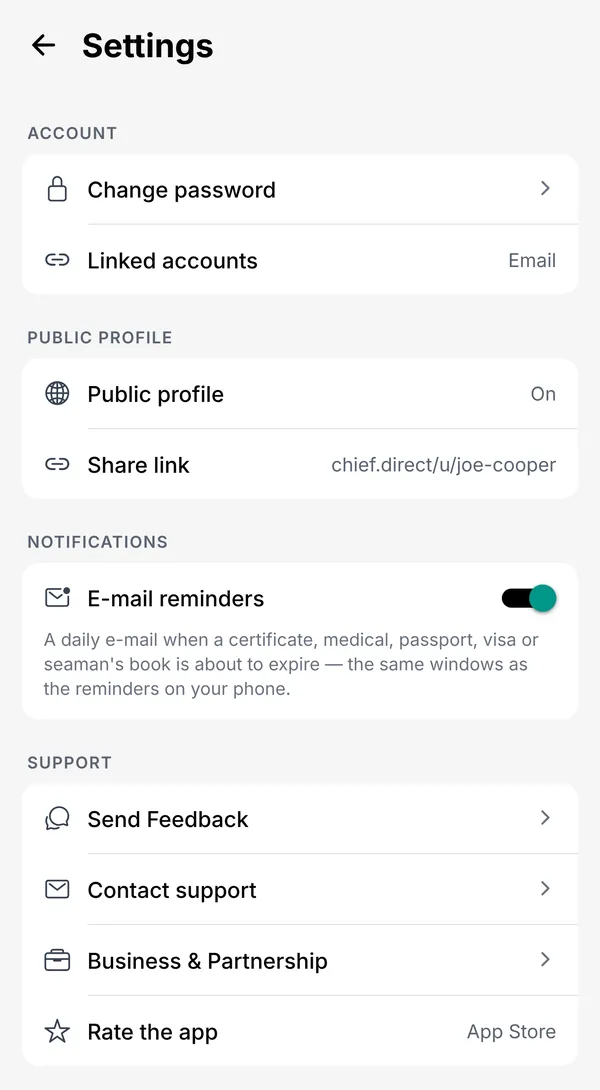
Reminders come as a notification on the phone and as an e-mail. Each document has its own schedule:
- STCW certificates: 90, 30 and 7 days before expiry.
- Medical certificate: 180, 90, 30 and 7 days.
- Passport and seaman’s book: 180, 90 and 30 days.
- Visas: 60, 30 and 7 days. CoC and endorsements: 90 and 30 days.
- E-mail at most once a week, unless something runs out within seven days. One switch in Settings turns it off.
Screens from the CHIEF. demo account: the person, ships and numbers are invented.
Good to know
- Bridge Display checks the STCW minimum for your rank. Your flag, the ship type and the company can ask for more: add those certificates too and they are tracked the same way.
- Your documents stay yours: export everything at any time, or delete the account with all its data.